Project self assessment by employee
Menu : EazeHR > HR Info > My Profile
Accessible: User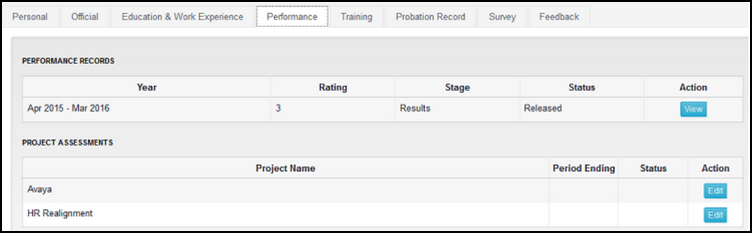
Accessible: User
Employees can access their Project Assessments on the Performance tab of My Profile
page.

Click on the "Edit" button to access the Project assessment sheet for a project.

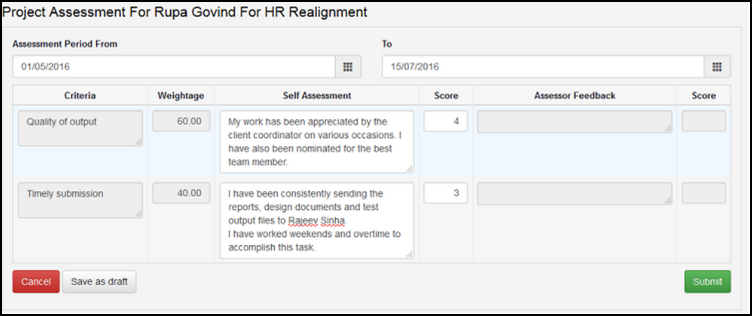
The following needs to be done by you
1. Enter the period for which this assessment is being submitted. The From and To dates are compulsory.
2. Fill up the self assessment for each criteria and also do a scoring on each criteria (this might not be available if scoring option is not activated)
3. Submit the sheet. Once you submit the sheet you cannot make any changes to it.